
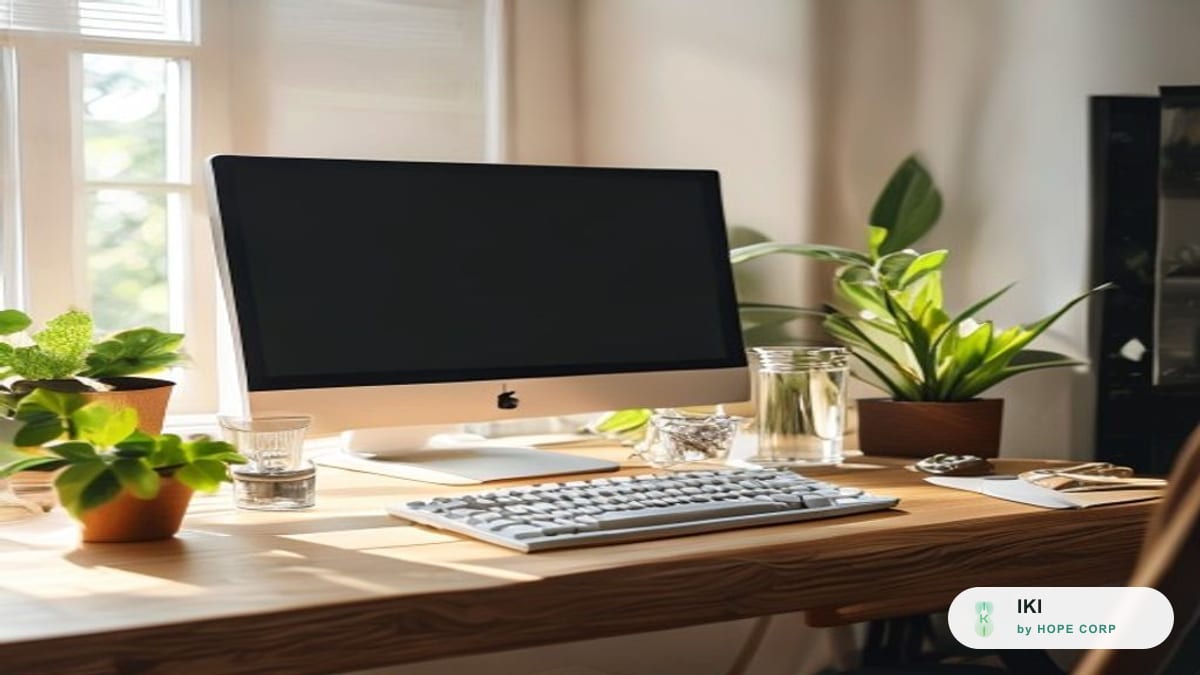
For a programmer, a typical working day can pass with the body almost completely still. You sit down at your desk in the morning, open your screen, and then get swept into a flow of focus so deep you lose track of time: a bug to trace, a feature due before the deadline, a piece of logic running on a loop in your head. You look up and it's already past noon, your neck is stiff, your eyes are tired, and your stomach is empty though you can't even remember skipping a meal. By night, when the whole world grows quiet, your mind feels its sharpest, so you sit down to code a few more hours, with a cup of coffee and a hurried late-night meal.
It's precisely this "sinking deep into the work" that lets IT workers be so productive while also making them more likely to forget their bodies than people in almost any other job. When intense focus takes over, signals like thirst, hunger, a stiff neck, or the need to stand up all get pushed to the bottom of the list. And because every effect unfolds quietly over many months and years, it's very easy to let things drift along by inertia until the body speaks up clearly.
Proactive wellness for programmers doesn't mean quitting your job to spend all day at the gym, or giving up the late nights of coding when inspiration strikes. It's about resetting a few simple habits into the right rhythm of your work, so you keep your alertness, your eyes, your neck and shoulders, and your hands for the long road with this career. This article walks through six directions of care, arranged around exactly the points that coding work tends to wear down most. If you'd like a broader picture for any desk job, the article A Wellness Routine for Office Workers is the overview; this one goes deeper into what's specific to IT professionals.
Why coding takes such a particular toll on the body
Three features make programming work put its own kind of pressure on health, unlike many ordinary office jobs.
The first is very high, prolonged screen focus. Unlike work interspersed with meetings, walking around, and phone calls, a coding session can run for hours with eyes glued to the screen without a break. This state of deep focus is precious for productivity, but it also means the eyes, neck, and hands are held in a strained position for much longer.
The second is irregular hours and a tendency to stay up late. Nights are quiet and rarely interrupted, so many programmers find this their best working time. But regularly staying up late brings a skewed sleep schedule, eating at odd hours, and a reliance on coffee to stay alert during the day.
The third is the habit of ignoring the body's signals while solving a problem. When your mind is tracking a thread of logic, the feeling of thirst, hunger, needing the bathroom, or an aching back all get easily dismissed until the task is done. The result is that many basic needs get suppressed for hours on end.
These three features together create a familiar picture: a skilled, dedicated worker who nonetheless frequently has eye strain, neck and shoulder pain, numb hands, erratic eating, and too little sleep. Understanding these three points helps you know where to start caring first. Below are six specific directions.
Caring for the eyes of someone who looks at code all day
The eyes are a programmer's single most important working asset, and also the part that tires soonest. Looking at a screen continuously at close range forces the eye muscles to strain to hold focus for long periods, while the rate of blinking drops sharply when we concentrate, leaving the eyes prone to dryness, grittiness, and fatigue. The sense of aching eyes and slightly blurred vision at the end of a long day in front of the IDE is a sign the eyes are overloaded.
The easiest eye-care tip to remember and to do is the 20-20-20 rule: for every 20 minutes of screen time, look at a point about 6 meters away for 20 seconds. For coders who sink into long focus sessions, a useful trick is to tie this habit to natural markers in your workflow: each time you run a test, each time you commit, each time a build runs, take the chance to look into the distance and relax your eyes for a few seconds.
A few accompanying things help ease eye fatigue:
- Blink consciously. When debugging under pressure, we almost forget to blink. Now and then, close your eyes for a few seconds and open them again to let your eyes re-moisten.
- Use a gentler screen mode in the evening. Reducing blue light and glare during late-night work eases eye strain and also lessens the impact on the sleep that follows.
- Adjust screen brightness to harmonize with the room's light; don't code in a pitch-dark room with a glaring screen.
- Place your monitor at eye level, about an arm's length away, with the top of the screen level with or a little below your line of sight.
- Use large enough text and easy-to-read contrast so your eyes don't have to squint at tiny lines of code.
Eye strain from screen work usually eases when you give your eyes proper rest. But if blurred vision persists, aching is intense, you see double, or you get recurring headaches around the forehead and eye sockets, don't self-diagnose — see an eye specialist. Headaches in this area are sometimes linked to tension and posture; you can read more in the Migraine guide to understand when the signs become worth noting.
Posture and workstation: building a durable seat for a long career
Programming is a job bound to a chair for many hours a day, so investing in a sensible posture and workstation is a direct investment in long-term health. Many programmers sit with their head thrust toward the screen, shoulders hunched up, back curved, and hold that for hours.
A comfortable, sustainable seat rests on a few basic points:
- Feet flat on the floor, knees bent at roughly a right angle; if your feet dangle, use a footrest.
- Back against the chair, keeping the natural curve of the spine; a small cushion at the lower back helps you not slide forward.
- Shoulders relaxed, elbows bent at roughly a right angle when your hands are on the keyboard, wrists kept in a natural straight line.
- Monitor at eye level. This is the most important detail for the neck. If you use a laptop, consider a laptop stand plus a separate keyboard and mouse to raise the screen to the right height; craning your neck to look down at a low laptop screen all day is one of the most common causes of neck fatigue among IT workers.
- If you use multiple monitors, place the main one right in front of you so you don't have to keep twisting your neck to one side.
There's a truth worth stating plainly: no posture is good if held for too long. Even the most correct posture becomes a burden when you sit motionless for hours while debugging. So the goal isn't to sit perfectly still in a flawless posture, but to sit reasonably correctly and often change position, stand up, and move. For coders, the practical way is to deliberately cut your work into blocks and stand up between them.
Stretching your neck and shoulders and caring for your hands between coding sessions
The neck and shoulders and the hands are what IT workers complain about most, because both are held in repeated positions for a very long time. The neck bends toward the screen, the shoulders tense up, and the hands type and move the mouse thousands of times a day.
The simplest way to care for them is to insert short stretch breaks between focus sessions, just about a minute each time:
- Shoulder rolls: shrug and roll both shoulders backward a few times, then forward a few times.
- Neck tilts: gently tilt your head to one side, hold for a few breaths, then switch sides. Do it slowly, without jerking.
- Chest opener: clasp your hands behind your back and gently push your chest forward to counter the hunch from curling toward the screen all day.
- Forearm stretch: extend one arm forward and use the other hand to gently pull the fingers toward you to stretch the inner forearm, then reverse.
- Spread and clench your hands a few times, and rotate your wrists in both directions to give your hands a rest from the typing position.
As for the hands, a few proactive care points are worth noting: keep your wrists in a natural straight line when typing, avoid bending your wrists up or pressing them down onto a hard desk edge; use a soft wrist rest; and take regular hand breaks instead of typing continuously for hours.
Passing neck-and-shoulder fatigue or numb hands usually eases when you change position and stretch. But some signs shouldn't be taken lightly. For the neck, if pain persists, spreads down the arm, or the stiffness lingers, you should see a doctor rather than massaging hard yourself; the Joint Degeneration guide describes more clearly when signs in the joints and spine become worth noting. For the hands, numbness is a sign to watch if it appears frequently, wakes you at night, and comes with weakness or trouble gripping; at that point, self-adjustment at home isn't enough. The Numbness in the Hands and Feet guide goes deeper into these signs and the cases where you should see a doctor sooner.
Water, meals, and eating late when working overnight
This is the part IT workers forget most easily, because when you're focused on solving a problem, eating and drinking usually get pushed to the bottom of the list. But it's precisely this irregularity in eating and drinking that quietly drains your energy and focus.
First, water. Sitting in an air-conditioned room, absorbed in code, many people drink only a few sips all session, while the coffee cups keep coming one after another. The sustainable approach is to make drinking water automatic: place a water bottle right next to your keyboard within reach, and tie drinking to existing markers like each time a build runs or each time you stand up. You don't need to count exactly; light yellow urine is a reference sign that you're drinking about enough.
As for daytime meals, the biggest trap is skipping a meal because you're mid-task, then making up for it with sweets and fast food when your energy crashes. A few ways to cope:
- Prepare grab-and-go options like fruit, unsweetened yogurt, or a handful of nuts for a light snack mid-session without leaving your desk for long.
- For main meals, favor a plate with vegetables and a clear protein source like meat, fish, eggs, or beans; cut back on heaping white rice and deep-fried food, and swap soda for water or unsweetened tea.
- Set a fixed meal time rather than "eating once the work is done," since programming is almost never truly "done."
Breakfast is also worth attention for those who tend to stay up late and wake late: a breakfast with enough good carbohydrates and protein keeps your energy steadier than a plain cup of coffee. If you often skip breakfast, the article Gentle Daily Movement and the morning-habit articles in the section may suggest ways to arrange the start of your day more tidily.
On the specific matter of eating late when working overnight: if you must work late and feel hungry, favor a light, easy-to-digest snack such as a cup of yogurt, a little fruit, a handful of nuts, or a small bowl with protein and vegetables, rather than instant noodles with fried food and a soda right before bed. Eating too much heavy, oily food just before sleep tends to leave your stomach heavy and make your sleep fitful. If you need a warm drink for gentle alertness instead of a third coffee at midnight, a cup of warm herbal tea is a milder choice; this is a small habit for your work rhythm, not a substitute for getting enough sleep.
Movement between long focus sessions
The biggest obstacle for IT workers isn't laziness, but a state of deep focus that draws them to sit still for hours without noticing. For someone sitting motionless that long, what helps first isn't a heavy workout, but breaking the stillness with small, frequent movements.
The most practical way for programmers is to deliberately cut your work into sessions and tie movement to the break points:
- Stand up between each focus session. Many people split their time into work blocks, and the short break between blocks is the ideal moment to stand up, go get water, take a few steps.
- Make use of waiting time. While a build runs, tests run, or a deploy is pending, instead of scrolling your phone, stand up, stretch, and take a lap.
- Take the stairs instead of the elevator for a few floors.
- Take a brisk 10-15 minute walk at lunch, moving your body while giving your eyes and mind a rest.
- Stand during online meetings that don't need constant screen watching, or walk while talking on the phone.
The key is to choose something so easy it's hard to find an excuse to skip. Moving a little every hour and keeping it up all year means far more than one heavy workout followed by two weeks off. Once gentle movement becomes a habit, the body often wants more on its own. The article Gentle Daily Movement goes deeper into how to choose and sustain gentle forms of movement without a gym or equipment.
Sleep for people who tend to code late
Sleep is where everything else is recharged: energy, focus, mood, and the very problem-solving ability that coding depends on. Ironically, it's the thing IT workers sacrifice first. Quiet nights are easy to focus in, coding inspiration strikes out of nowhere, deadlines pile up — all of it pushes bedtime later, and then daytime fatigue forces you to lean on coffee, forming a loop.
Don't aim to sleep early starting tomorrow night, because that kind of abrupt change rarely holds. A gentler approach:
- Pull your bedtime earlier bit by bit. Every few days, move your bedtime earlier by 15-20 minutes, giving your body time to adjust.
- Keep a fixed wake-up time, weekends included. A steady wake-up time stabilizes your body clock faster than bedtime does.
- Create a wind-down before bed. Spend the last 20-30 minutes of the day not coding, dim the lights, and step away from screens so your mind gradually shifts to a resting state.
- Be careful with late-afternoon coffee. For many people, a cup after early afternoon is enough to ruin the night's sleep.
One thing specific to coding: when you shut the machine but your head is still running an unsolved problem, sleep easily gets swept along. Jotting down a few quick lines about the unfinished issue before you leave your desk, as a way of "handing it over" to tomorrow, can help your mind let go more easily. Sleep quality matters no less than the number of hours; if you often toss and turn even after going to bed on time, the article Quality Sleep suggests ways to create a good sleep environment and calm the mind before bed.
Common misconceptions among IT workers
Around programmers' health there are a few skewed beliefs that make people either complacent or overly anxious.
"I'm young and code fine, no need to worry about this yet." Precisely because the effects of long sitting and late nights unfold quietly, the time before pain sets in is the best time to build habits. The patterns you create now will carry you far in a career tied to a keyboard for decades.
"Coding late at night is more productive, so I'll just keep it up." Late nights can indeed be quiet and easy to focus in, but if they take away your sleep and leave you tired all the next day, total productivity may not actually rise. The worthwhile thing isn't to give up night work entirely, but to keep your overall sleep rhythm steady.
"Eye strain and shoulder aches come with any job — just put up with it." Mild fatigue at the end of the day is normal, but lasting pain, numbness, and persistent blurred vision shouldn't be treated as something you simply have to endure. They're signals to adjust your habits, and if they persist, to see a doctor.
"Taking supplements is enough, no need to change my habits." Supplements are only one accompanying part to support a lifestyle; they don't replace good posture, movement, balanced meals, or sleep. The foundation is always daily habits.
"During a sprint I have to drop everything and deal with it later." It's true there are peak periods, but that's exactly when you should lower the bar rather than drop it entirely: if you can't walk for 15 minutes, stand up and stretch every hour; if you can't cook, choose a meal with vegetables. Keeping a small version of the habit keeps you from losing your momentum altogether.
In closing: keeping your strength for the long road with this career
Programming is a beautiful career that can stay with you a very long time, but it also demands a body that's cared for enough to last the long road. The six directions above — resting the eyes, building a sensible seat, stretching the neck and shoulders and caring for the hands, eating and drinking steadily, moving between focus sessions, and keeping steady sleep — are all small, manageable things that fit right into your work rhythm without needing extra hours in the day.
You don't need to do it all at once. Choose one or two things that are easiest and fit best with how you work — usually drinking enough water and standing up between sessions — do them until they become reflex, and only then add the next. And remember the principle running through it all: these habits are for proactive care, while when the body sends abnormal signals that persist — pain, numbness, lasting blurred vision — the right thing is to see a doctor for an evaluation, not to manage it yourself at home.
If you'd like a broader routine for any desk job, not just coding, the article A Wellness Routine for Office Workers is a good overview to compare against. Looking after yourself between lines of code isn't a luxury or a waste of time — it's exactly how you keep your alertness, creativity, and stamina for the long road ahead.
The content in this article is for reference on a proactive lifestyle and does not replace advice from a doctor or medical professional. If you have an underlying condition or persistent symptoms, please consult a professional before changing your routine.